LSAC Apps
LSAC Claim Forms
Here’s a link to the new app for claiming expenses.
https://lsac-dive-claim-42adf2d0.base44.app
Click on the link or copy and paste it into your browser. Register your email address and make up a password. Then go to your email and confirm it. You might get a code to enter. After all that you have to log in again, that should be it?
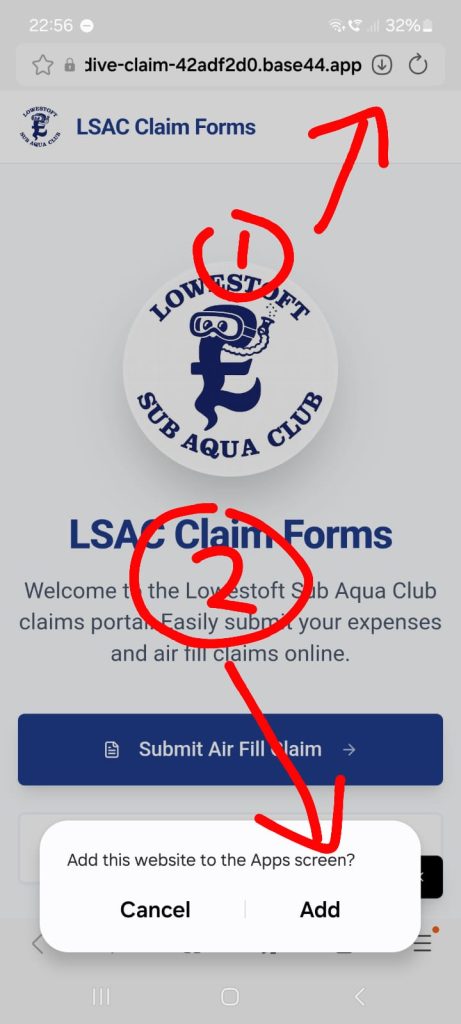
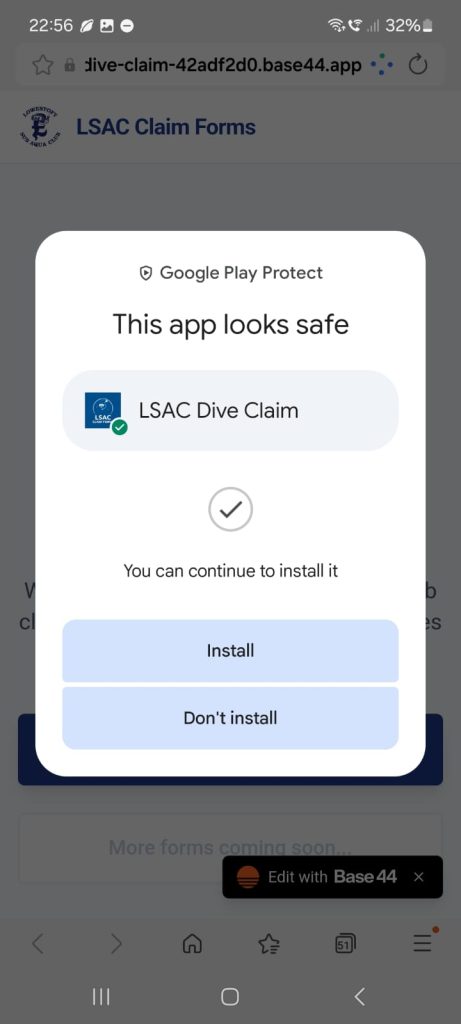
The app has several different claims forms and their purpose should be self explanatory.
Air Fill Claim Form
Air fills are part of your membership fee, as we cannot produce our own compressed air at the moment we have set up a system where members fill club cylinders and their own cylinders at various locations, then claim the cost back via the air fill claims app. You will need to download and install the app, then register to use it. Once it is set up you can get a cylinder filled and claim the cost back providing it meets the terms and conditions set out in the app. There are several places locally that fill cylinders, Christal Seas – Norwich, East Point Scuba – Lowestoft, SAS – Napton. The training quarries such as Gildenburgh or Stoney Cove also offer air fills.
Kit Tracker app
Here is a link to the new LSAC kit tracker app available to download and install.
https://lsac-kit-tracker-6334ef3e.base44.app
Click on the link or copy and paste it into your browser. Register your email address and make up a password. Then go to your email and confirm it. You might get a code to enter. After all that you have to log in again, that should be it?
If you borrow any Club kit you must be registered on the app. If you have an LSAC cylinder, please add you name to the location and add the cylinder contents. If you make any changes to the app you have to click on save all changes for it to update. In the miscellaneous section where any other kit not listed is borrowed you will need to select your name and describe what you have borrowed. Click on the returned button when you are no longer borrowing it.